MOBILE LEARNING · MOBILE SIMULATION DESIGN AND STORYBOARDING
From Assignment to Arrival
A 15-minute self-paced mobile course that teaches adults new to Google Maps to reach a work territory, find their next stop on foot and help a teammate find them, without someone beside them explaining each screen.
INDUSTRY
Field outreach and canvassing
PROBLEM
New staff get stuck between the app and the right door
MY ROLE
Design document, storyboard, script and assessment
FORMAT
Self-paced mobile simulation, about 15 minutes
2026 design sample. Sam, Alex and the canvassing assignment are fictional.
The Problem
Teach the task, not the app.
A new canvasser needs to drive to an unfamiliar territory, figure out which way to walk once parked, and let a teammate find her as she moves. "Use Google Maps" sounds simple until each of those turns out to be a different set of taps, with a common mistake waiting at every one.
A feature tour would teach the buttons and leave the learner stuck at the curb. When a learner knows why they are opening a screen, the tap sticks.
What I Decided and Why
1 One trip, not a feature tour.
The course follows one trip that keeps giving the learner a reason to use the app: get to the territory, find the first stop, help Alex find you. Learners watch Sam do it first, in short replayable segments.
2 Practice the real mistakes.
Practice starts with Walking selected and an old starting point saved, because those are the errors that stop people in the real app. Every wrong choice gets feedback that explains what it would have done.
3 Teach the judgment call.
When Alex asks "Where are you now?", sending the library pin would send Alex to the wrong place. Learners choose between a fixed place and live sharing, then remember to stop sharing.
4 Separate completion from skill.
Six checkpoints are scored on the first committed response. Getting help still lets learners finish, but it is recorded as supported. The whole course is built for a phone, with captions, transcripts and no timed failure.
What It Changes
For the Organization
New field staff can reach territories and teammates without a coworker on the phone walking them through screens, and with fewer missed meetups.
For Coordinators
Results show who did it independently and who needed support, so they know who needs a ride-along before the first shift.
For New Staff
They practice the real mistakes safely, with no GPS, sign-in or shared contacts.
The Work
The design document covers performance objectives, the evidence for each, the learning sequence, the scoring criteria and the accessibility requirements. The storyboard excerpts include the opening, the model narration, the Get Directions and live-sharing practice, the independent assignment, the results screen and a recovery map for every checkpoint.
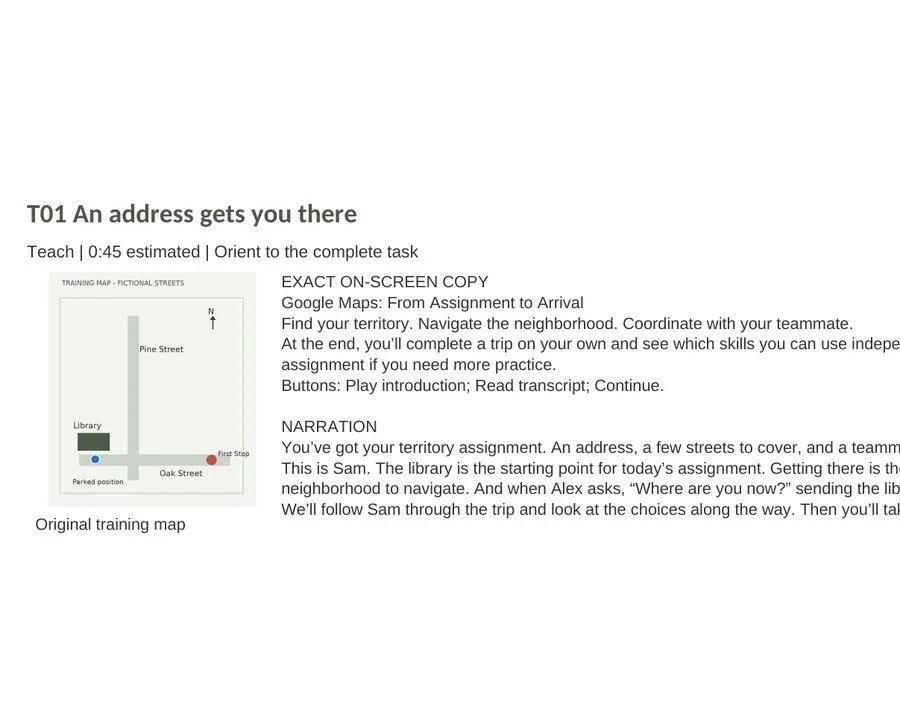
Opening scene and training map
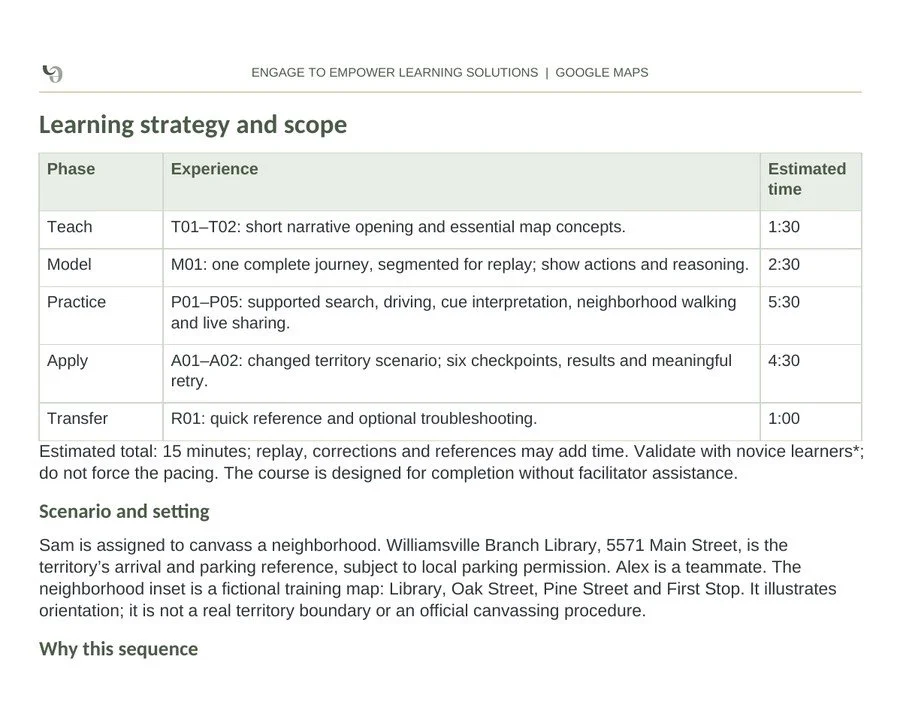
Learning strategy and timing
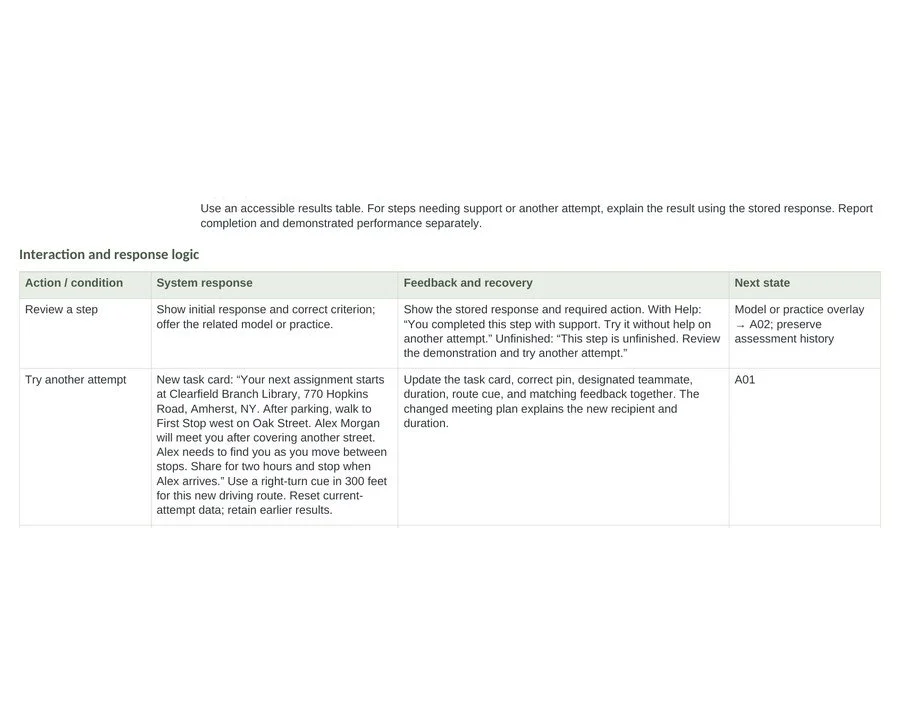
Results review and retry logic
If your team needs to learn a tool on the job, let's talk.
Book a 30-minute call and bring the tool your new staff have to learn.
Skills shown: Mobile learning design · Software simulation · Scenario-based practice · Storyboarding · Scriptwriting · Assessment design · Accessibility planning · Developer handoff